 Platform orders
Match order to settlement
Compare order details, partner statements and net deposits across each marketplace.
Photo by Erik Mclean · PexelsCash. Cards. Delivery apps. Inventory. QSRIQ follows the money from the order screen to your books, so you can run the kitchen while we keep the numbers in line.
Built with the people behind the counterExperience across familiar restaurant brands.


Brand names and logos belong to their owners. Food photography: burger and fried chicken via Pexels.
Counter cash can disappear before it reaches the safe. Safe drops can be short. A deposit can miss the bank. We match POS cash expectations to drawer counts, paid-outs, safe activity and deposit records so owners can see where the numbers stop lining up.



Provider names are shown for reference only. QSRIQ is independent and is not affiliated with or endorsed by these providers.
When complete POS, safe-drop and deposit records are available, our target is to flag cash out-of-balance items within 24 hours. A mismatch is a prompt to investigate; timing, floats, paid-outs and adjustments all matter.
Refunds, remakes, missing items, deductions and payout adjustments can hide food cost inside a delivery statement. We trace each exception to a documented source.
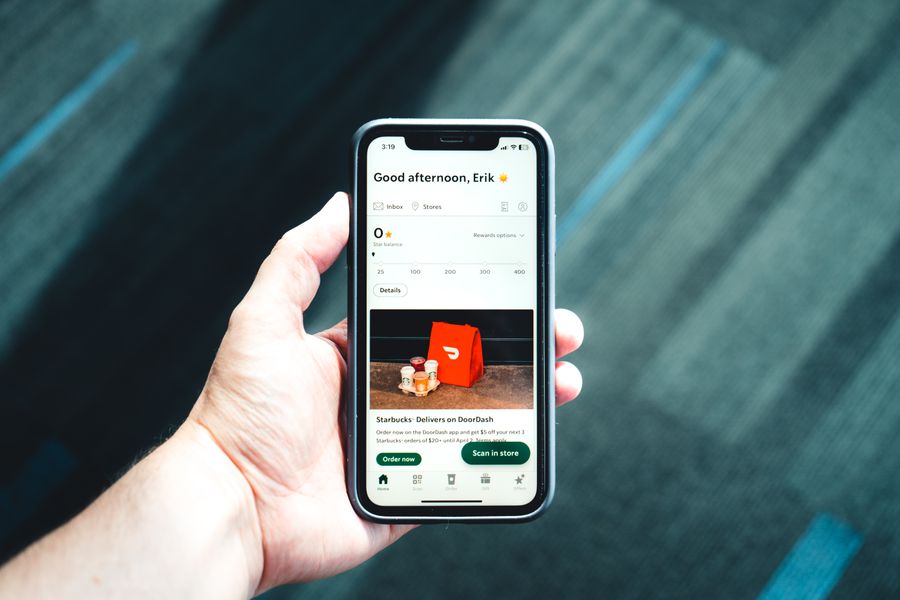
Platform ordersCompare order details, partner statements and net deposits across each marketplace.
Photo by Erik Mclean · Pexels Driver handoffs
Connect a guest issue, remake or refund back to the original order and the payout adjustment.
Photo by Artem Podrez · Pexels Autonomous bots
When a bot completes a delivery, the handoff still needs a clean order, refund and settlement trail.
Photo by Aneesh Prodduturu · Pexels Drone delivery
 is an emerging route. This photo is illustrative; the reconciliation method follows the transaction records.
Photo by Max Ravier · PexelsWe match order records to partner statements, refunds, adjustments and bank deposits. If we find no documented, recoverable delivery discrepancy, there’s no fee for this review. Any recovery fee is agreed in writing before work begins.
Franchise owners shouldn’t have to chase every order across processors, apps and locations. Our AI-assisted agents match sales to settlement records, flag MID/TID mismatches and organize the exceptions for review.
 Card, tap and wallet payments
Compare POS totals, processor batches, fees, refunds and deposits to find differences that deserve a closer look.
Photo by Anna Tarazevich · Pexels First party apps and kiosks
Connect 1P app and kiosk orders to the right store, merchant account, batch and settlement record.
Photo by Sami Abdullah · Pexels Drive through and digital checkout
Review MID and TID mappings by location, then surface duplicate, missing or misrouted settlement activity.
Photo by Erik Mclean · PexelsWe reconcile order and payment records against MID/TID setup, processor statements and bank deposits. A flagged difference is a lead to investigate—not automatically a confirmed loss.
Most owners never get a clear look at the settings behind the screen. We review your authorized POS configuration, connect it to the order and settlement trail, and flag gaps that could leave sales, fees or tenders out of step. We’ve got your back.


Platform names are trademarks of their respective owners. Listing them describes systems we can review; it does not imply a partnership or endorsement.
Catch the setup gap before it becomes a month-end mystery. We map the settings, integrations and settlement paths you authorize us to review, then surface the exceptions clearly. You stay in control of any configuration changes.
Once the sales trail is clear, keep restaurant bookkeeping, inventory counts and location reporting moving in the same rhythm.
Keep transactions categorized, accounts reconciled and month-end moving with restaurant-aware bookkeeping support.
Turn counts, purchases and usage into a more useful view of what came in, what went out and what needs attention.
Bring purchasing and inventory activity together so operators can spot movement and ask better questions.
See activity by store and across the group, with consistent close routines as your footprint grows.
We start with the systems you already use, then build a repeatable money trail that works for the way your restaurants run.
Map your POS, payment processors, delivery channels, bank activity, accounting and inventory routines.
Automated matching organizes records and highlights exceptions. Our team investigates the items that need context.
Keep reconciliations, bookkeeping and inventory work moving with a consistent cadence and clear ownership.
Tell us how many locations you run and where your sales flow. We’ll start with a practical map of your finance workflow.